

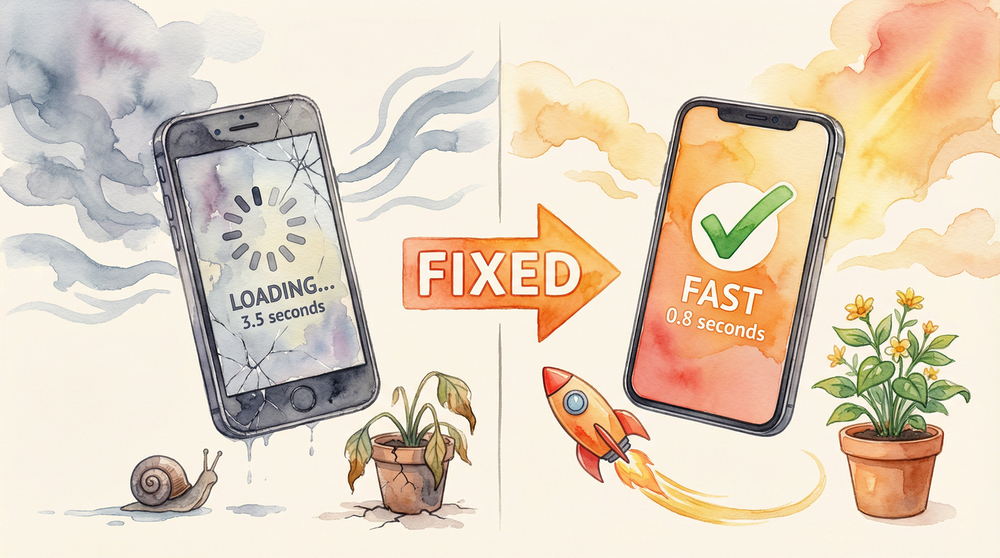
A slow website costs you bookings. It makes clients bounce and call someone else.
You don’t need to be technical to fix it. You just need a plan.
This guide gives you that plan. It’s built for salon owners who want results now.
You’ll learn why speed matters, how to find what’s slow, and how to fix it.
Why Speed Matters for Salons
A fast site turns interest into bookings. A slow one turns interest into doubt.
Speed also affects your Google ranking. Faster sites earn better visibility over time. Google’s AI systems, like Know Before You Go, favor fast-loading sites when generating recommendations.
What “fast enough” really means
Aim for your pages to load in under three seconds. Faster is even better on mobile.
If your homepage lags, clients won’t wait. They swipe back and choose a competitor.
How speed builds trust
Speed feels professional. It signals care, quality, and attention to detail.
Clients judge your work by your website experience. Make that first impression count. (Speed is just one piece—see the complete guide to why salon websites don’t convert for more conversion factors.)
Find What’s Slowing You Down
You can diagnose most issues in five minutes. You don’t need a developer.
Use a free tool like PageSpeed Insights. Run your homepage and a top service page.
What to look for in the report
Look for “images are too large” and “unused JavaScript.” These are common culprits.
Also note “server response time.” That often points to slow hosting.
The usual suspects
Bloated themes, too many plugins, and huge photos slow WordPress. They add heavy code.
Video backgrounds and auto‑playing carousels also drag performance on phones.
Quick wins you can apply today
Shrink your images. Remove any plugin you don’t truly need.
Limit fancy effects. A clean, fast page beats animations every time.
If you absolutely must have those animations, leave them on desktop, but remove them on mobile.
Make WordPress Faster Without a Developer
WordPress powers most salon sites. It can be fast when set up simply.
Start with the basics. Four steps deliver the biggest gains quickly.
1. Pick a lightweight theme
Switch to a lean theme, like GeneratePress, known for speed. Avoid “all‑in‑one” themes with endless features.
Look for themes with clean code and minimal dependencies. Your pages will load faster.
2. Clean up plugin bloat
Audit your plugins. If you don’t recognize one, you probably don’t need it.
Keep only what adds clear value. Fewer plugins mean fewer conflicts and less code.
3. Resize and compress images
Upload images at the size you display them. Don’t upload a 4000px photo for a 600px spot.
Use image compression. Tools can shrink files without visible quality loss. Imagify Image Compression is the best we’ve ever used.
4. Turn on caching and a CDN
Caching stores a ready‑to‑go version of your page. It serves websites in milliseconds.
A global delivery network sends your site from servers near your clients. It cuts the delay time significantly.
If You’re on GoDaddy or Another Builder
Many salons use GoDaddy, Wix, Squarespace, or similar tools. You can still speed up.
The fixes are simple. They follow the same principles as WordPress.
1. Start with your plan and hosting
Entry plans often share resources. Your site fights for speed during busy times.
If pages lag, consider a plan that adds performance features. It often pays back fast.
2. Keep pages lean and focused
Use fewer widgets and apps per page. Each one adds code that must load.
Remove auto‑playing videos and heavy sliders on mobile. Use images instead.
3. Use built‑in image tools
Most builders have image resizing and compression. Turn those features on.
Upload photos that fit the display size. Don’t rely on the browser to shrink them.
Structure Your Pages for Speed and Sales
Speed is about design choices as much as it is about tech. Simple layouts load faster.
They also guide clients to book. Clarity beats clutter every time.
One page, one purpose
Each page should do one job well. A service page should sell that service.
Cut anything that distracts. Keep the path to booking obvious and short.
Fewer scripts, fewer delays
Limit pop‑ups, chat widgets, and tracking tags. They slow pages and annoy clients.
Keep essential tools only. Add other scripts on the booking confirmation page.
Keep It Fast Over Time
You can fix the speed in a day. The challenge is keeping it fast.
Set a simple routine. It protects your gains and your bookings.
A monthly 15‑minute check
Run PageSpeed Insights on your top pages monthly. Note any new warnings.
Fix image sizes and remove anything new that slows pages. Keep it lean.
Train your team on uploads
Set clear image rules. Define the max width and file size for every section.
Use a shared folder for web‑ready images. Consistency keeps pages fast.
WordPress: A Practical Step‑by‑Step Plan
If you’re on WordPress, follow this sequence. It delivers fast results.
Do one step at a time. Test after each change.
Step 1: Back up and benchmark
Back up your site. Then run speed tests and note current scores.
This gives you a baseline. You’ll see what each change improves.
Step 2: Switch to a lean theme
Pick a lightweight theme known for speed. Install it on a staging copy first.
Keep design simple. You can still showcase your work with clean galleries.
Step 3: Remove non‑essential plugins
List every plugin. Ask, “Does this help a client book or trust us?”
If not, remove it. Less code means faster pages and fewer conflicts.
Step 4: Optimize images site‑wide
Compress your media library. Then set upload rules for all future photos.
Replace any oversized homepage images. Target the hero image first.
Step 5: Enable caching and a CDN
Install a simple caching tool and turn on a global network. Use default settings.
Test on mobile data. You should see faster loads across the city.
Step 6: Tidy your homepage
Put your value, proof, and booking button above the fold. Keep it clean.
Move long galleries to service pages. Keep the homepage light and fast.
GoDaddy, Wix, Squarespace: A Practical Plan
Site builders can be speedy when you build smart. Follow these moves.
They don’t require code. Just smart choices.
Step 1: Pick a simple template
Start with a clean template. Avoid animation‑heavy designs.
Choose strong photos and clean typography. Let your work do the talking.
Step 2: Control media weight
Resize before upload. Use the platform’s compression features.
Replace any autoplay video on mobile. Load video only when tapped.
Step 3: Limit add‑ons
Keep only essential apps and widgets. Each one slows the page.
Add extras to the thank‑you page after booking. Keep the sales page fast.
Step 4: Review your plan
If performance dips at busy times, consider a plan upgrade. It can boost speed.
Do the math. Faster loads raise booking rates and pay for the plan.
What to Fix First for the Biggest Wins
Fix the homepage hero image first. It’s the heaviest file on many sites.
Then simplify the header and menus. Reduce scripts and sticky elements.
Target the top 20% of pages
Fix pages that drive most bookings. That’s often your homepage and service pages.
Speed there moves numbers quickly. It’s where clients decide to book.
Measure what matters
Track mobile load time and conversion rate. Watch calls and bookings per week.
Speed should raise both. If not, keep trimming and testing.
Proof That Simplicity Wins
Simple sites load fast. Fast sites convert better.
They also break less. There’s less to maintain and fewer surprises.
What we see in salons
Cutting a heavy slider reduced load time by seconds. Booking rate improved.
Compressing images cuts page weight in half. Time on page increased.
The cleaner the build, the safer the site
Fewer moving parts mean fewer vulnerabilities. That protects your reputation.
Clients never see “site down” messages. They see a smooth, fast experience.
Ready for a Faster Site?
You don’t need a flashy site to win. You need a fast one that’s easy to use.
Clean structure, lean images, and fewer add‑ons solve most speed problems.
If you prefer a platform built for speed by design, there’s another path. Perfectly5.5 runs on pure HTML with no database.
That means near‑zero vulnerabilities and lightning‑fast pages. Updates go live in 60–90 seconds.
It’s built for salons and tested on phones first. You focus on hair, not on plugins.
Want to see what a simpler, faster setup could look like for your salon? We’re happy to walk you through options.
Curious how small fixes change booking rates? We can review your top pages and share a plan.
No hard sell. Just clear steps to a faster site and more bookings.
Ready to stop losing clients to a slow website? Let’s talk about what’s possible for your salon.


